AI Copilot – Responsive Design (Web & Mobile)


Overview
Role: Product Designer
Timeline: 5 Weeks
Platform: Responsive Web Application
Problem
Modern workflows often require users to switch between multiple tools, search through large amounts of information, and perform repetitive tasks manually. This creates friction, slows productivity, and increases cognitive load.
Users need faster ways to access information, complete actions, and receive contextual assistance without disrupting their workflow.
Goal
Design an AI-powered copilot experience that helps users:
Access information faster
Reduce repetitive actions
Stay focused within their workflow
Receive contextual support when needed
Complete tasks with fewer interactions
Research & Discovery
To better understand existing AI-assisted experiences, I reviewed products such as ChatGPT, Notion AI, Microsoft Copilot, and Slack AI.
Key observations included:
Users prefer AI assistance that feels integrated rather than separate from their workflow.
Long conversational interfaces can become difficult to navigate.
Users need visibility into what the AI is doing and why.
Trust increases when actions remain transparent and reversible.
Design Challenge
The primary challenge was designing an AI experience that feels helpful without becoming intrusive.
The interface needed to balance:
Speed and usability
AI guidance and user control
Information density and clarity
Responsiveness across devices
Design Process
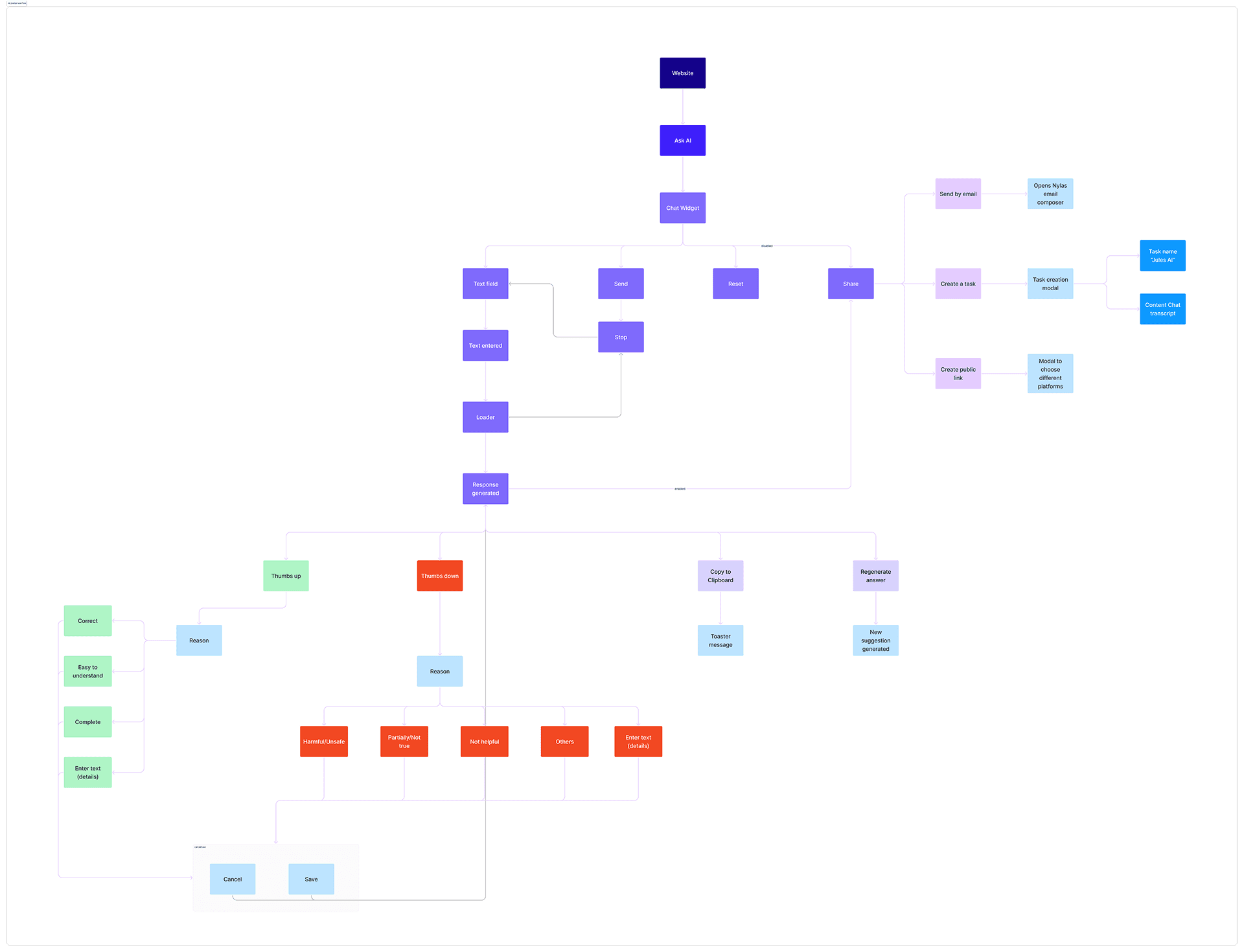
I started by mapping common user workflows and identifying moments where AI assistance could reduce effort.
Early explorations focused on:
Assistant placement
Prompt interactions
Response hierarchy
Task-focused workflows
Responsive behavior across screen sizes
Several iterations were explored to simplify interactions and reduce visual clutter while keeping important actions easily accessible.
Solution
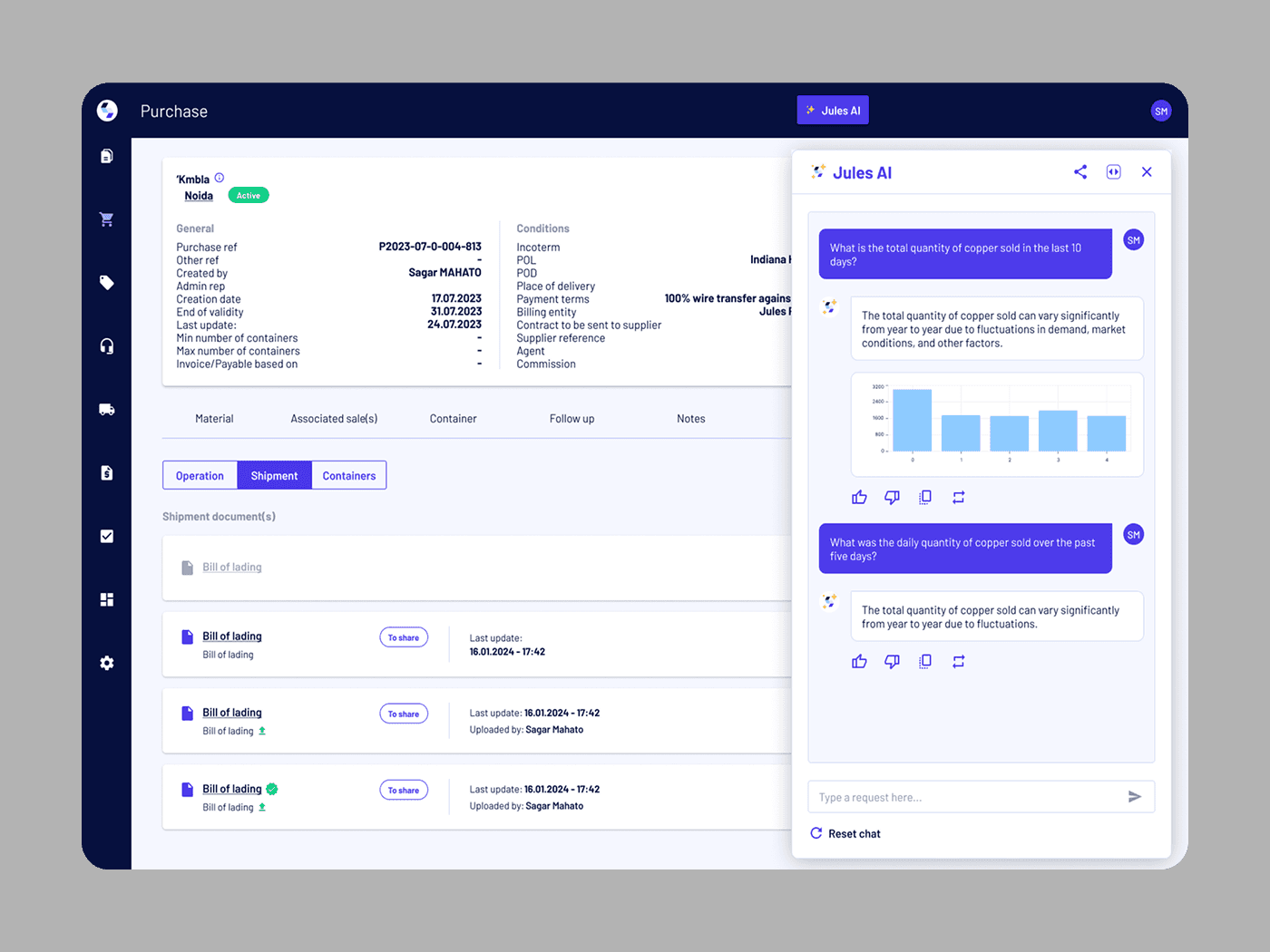
The final design introduces an AI Copilot that integrates directly into the user workflow rather than functioning as a standalone chatbot.
Key features include:
Contextual Assistance
Users receive relevant suggestions based on their current task, reducing the need to search manually.
Streamlined Interactions
The interface prioritizes quick actions and concise responses, helping users complete tasks faster.
Clear Information Hierarchy
Responses are structured for readability, allowing users to scan information efficiently.
Responsive Experience
The design adapts seamlessly across desktop and mobile devices while maintaining consistent interaction patterns.
User Control
Users remain in control of actions, ensuring transparency and reducing uncertainty around AI-generated outputs.
Outcome
The final experience creates a more efficient workflow by reducing friction between user intent and task completion.
The design focuses on:
Faster access to information
Reduced cognitive load
Improved workflow continuity
Better discoverability of actions
Greater confidence when interacting with AI-powered features
Reflection
If this product moved into development, the next step would be validating the experience through usability testing and measuring how AI assistance impacts task completion time, user confidence, and feature adoption.
Future iterations could explore proactive suggestions, personalized workflows, and deeper integrations with existing productivity tools.