PM Co-Pilot
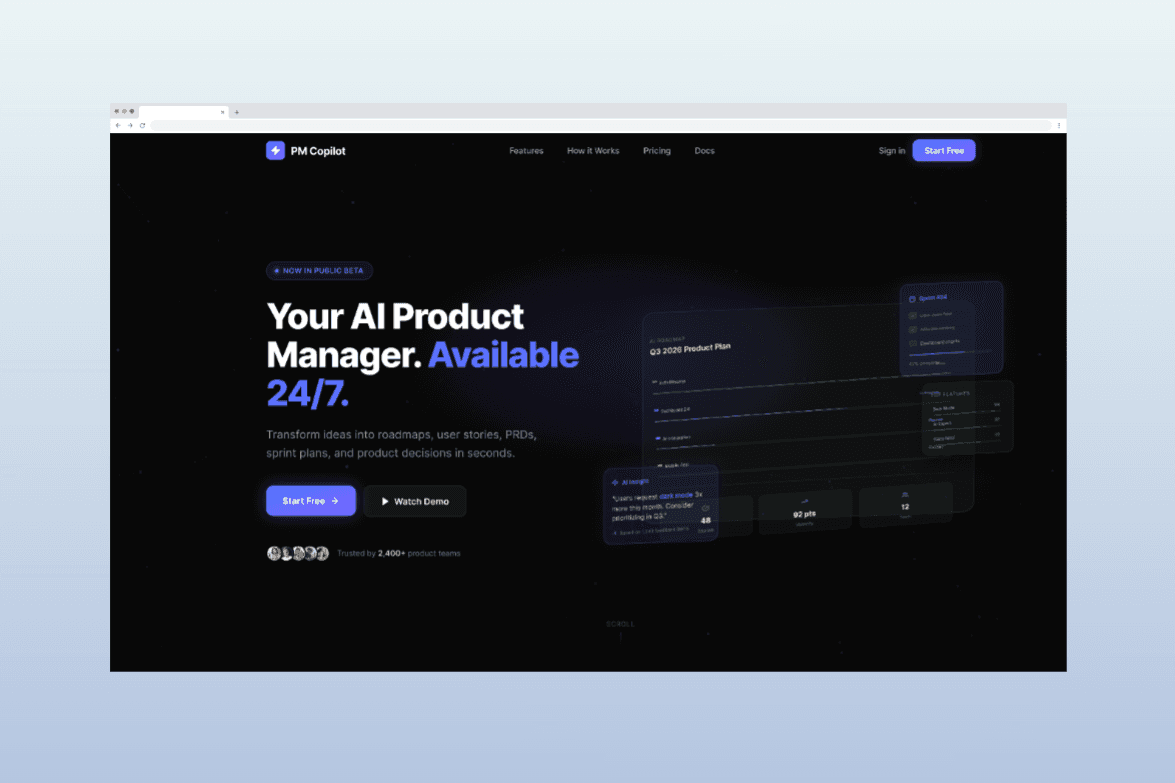

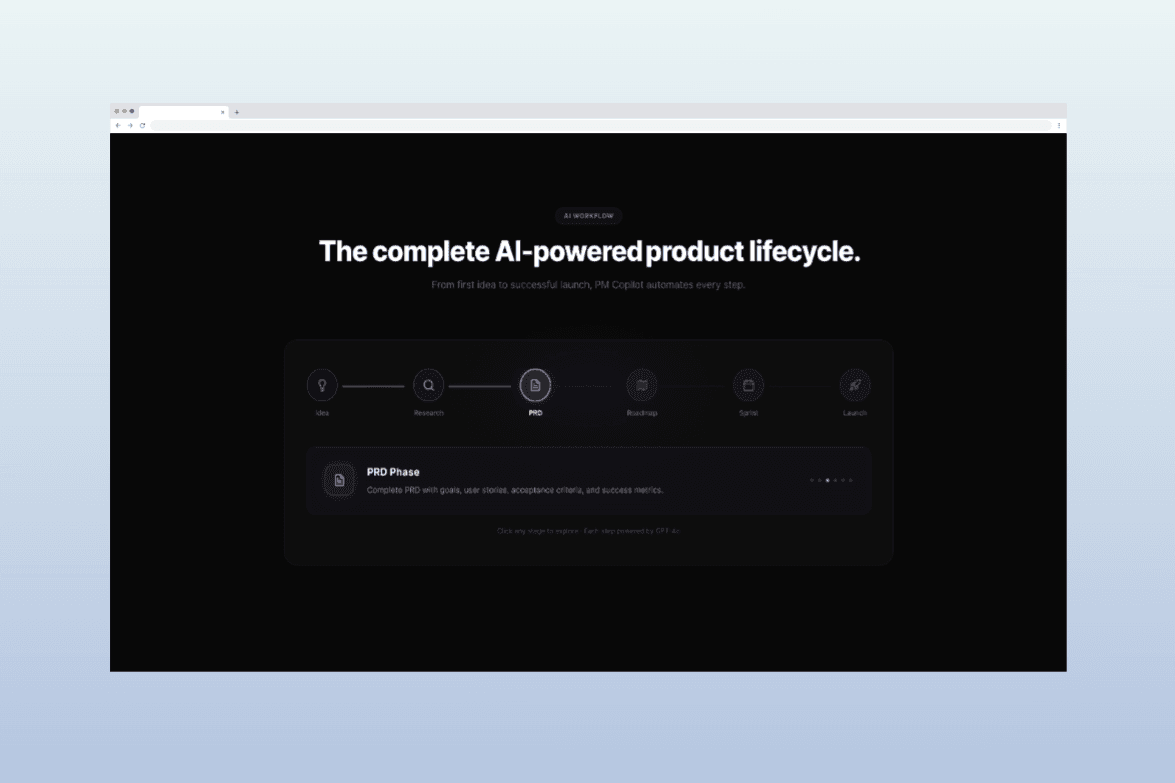
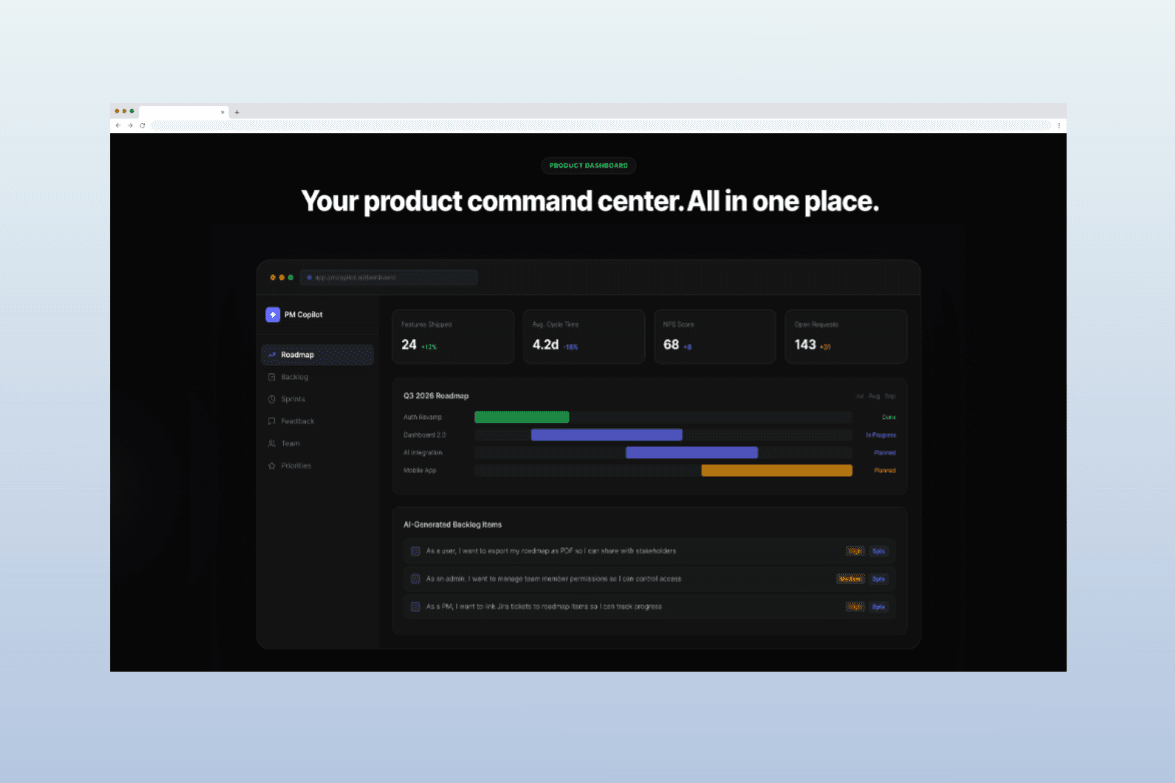
PM Co-Pilot
An AI-Powered Product Management Assistant for Faster Product Decisions
Role: Product Designer (UX/UI)
Platform: Responsive Web Application
Tools: Figjam, Figma, Figma Make,
Project Type: Concept Product / AI SaaS Platform
Website: https://pm-copilot.figma.site/
Overview
Product Managers lose a lot of their week to things that aren't actually product decisions: writing PRDs, digging through research, organizing feedback, and getting everyone aligned. AI tools have made the content-generation part easier, but here's the catch, most of them still make you switch tabs, re-explain context, and prompt your way to something usable.
PM Co-Pilot is a concept for what that workspace could look like if the AI wasn't bolted on as a separate tool, but built into the actual PM workflow. The idea was simple: let PMs spend their time on judgment calls, and let AI handle the repetitive groundwork around it, research synthesis, documentation, stakeholder updates, without them having to leave the platform to do it.
The problem I was designing for
Most AI-assisted PM tools today are add-ons. You still do your real work somewhere else and pull the AI in when you remember to. That constant context switching is exactly what eats a PM's time in the first place, so an AI layer that doesn't fix that isn't actually solving the problem.
Research and Insights
Since this is a concept project, I didn't run primary user interviews. What I did instead was structured secondary research: a competitive teardown of existing AI-for-PM tools and proto user personas built from published industry data on how PMs actually work. Here's how that shaped the design.
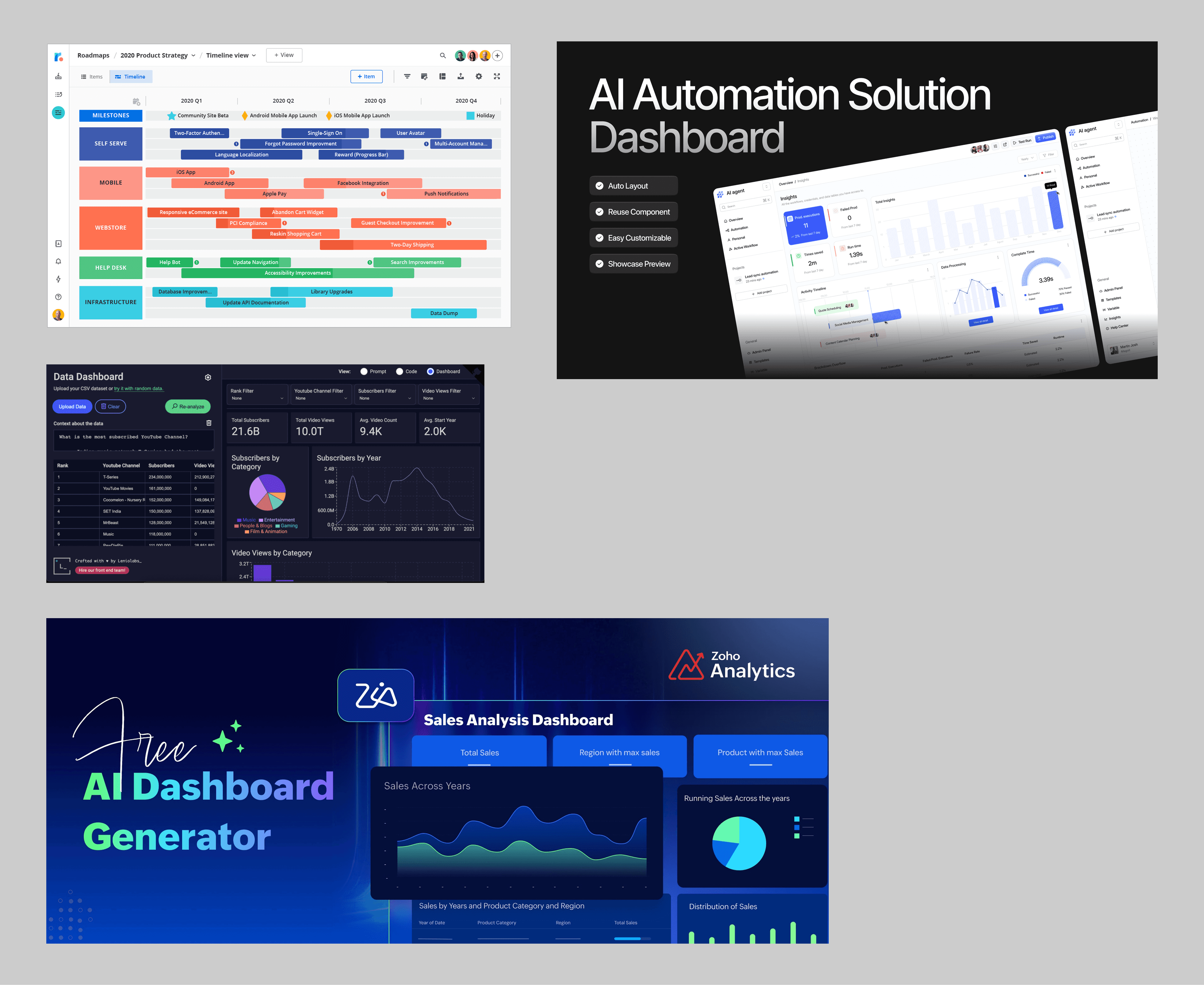
Competitive Landscape
I reviewed five tools already operating in this space, ChatPRD, Productboard, Aha!, Zeda.io, and Linear, to understand what PMs already have access to and where the real gaps sit.
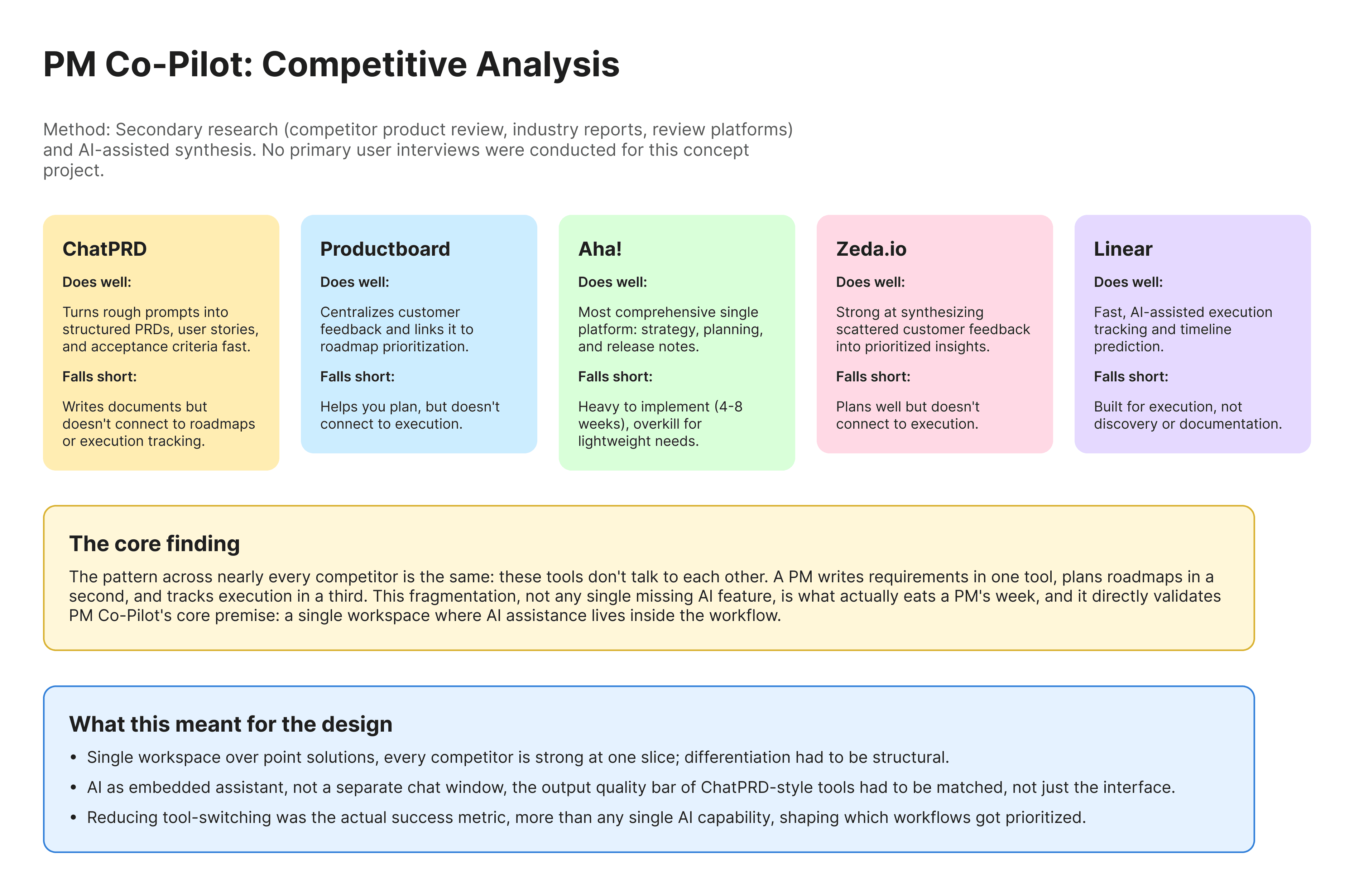
The core finding: none of these tools talk to each other. A PM writes requirements in one place, plans roadmaps in another, and tracks execution in a third. That fragmentation, not any single missing AI feature, is what actually eats a PM's week. This became the single most important input into the design, PM Co-Pilot's differentiation had to be structural, not just a better version of one feature.
Proto user personas
Using published PM survey data and community reporting rather than direct interviews, I built two proto-personas to guide prioritization, clearly flagged as assumption-based rather than validated.
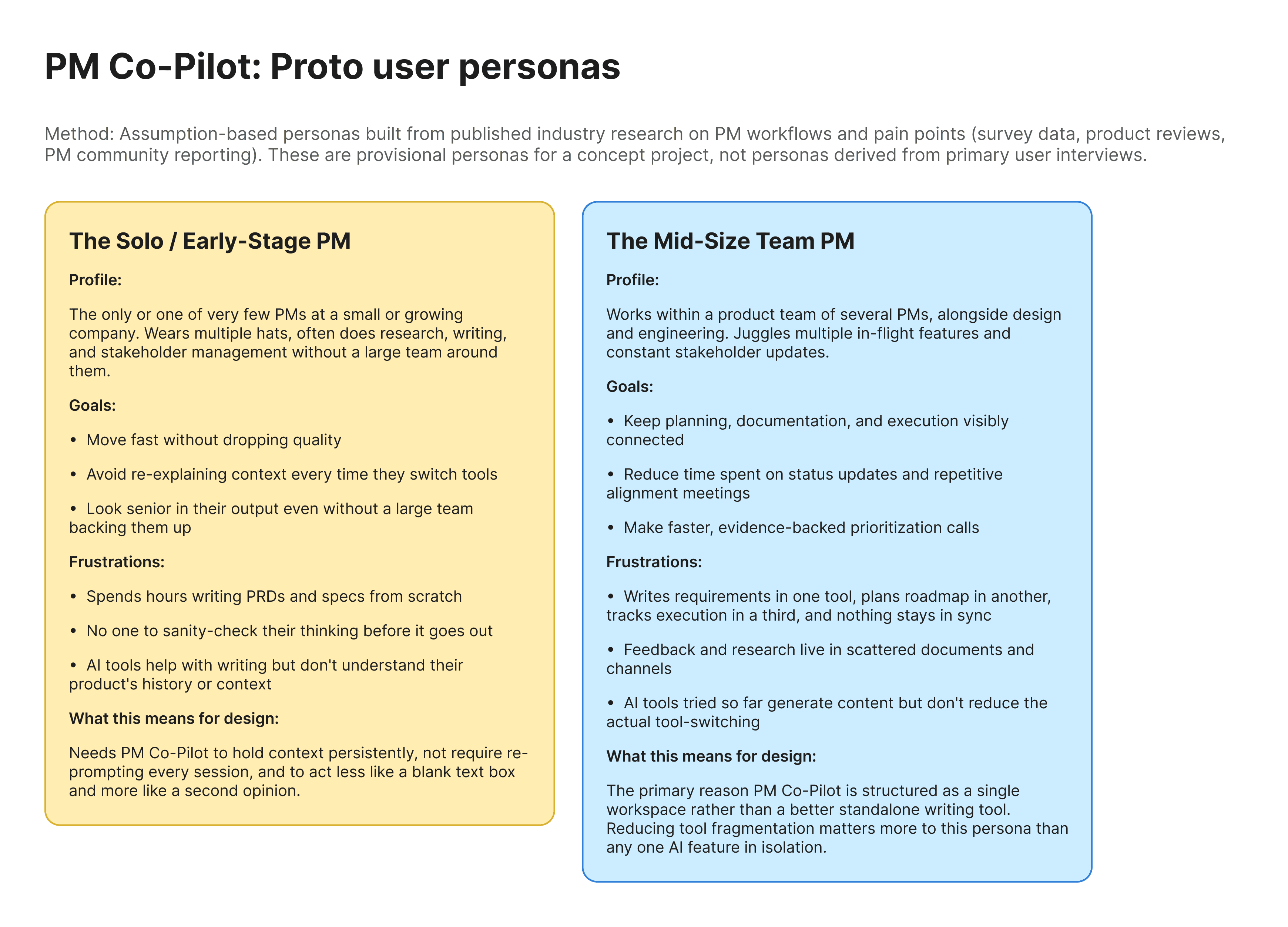
The Solo/Early Stage PM wears every hat at once and has no one to sanity check their thinking. They needed a tool that holds context persistently rather than one that makes them re-explain themselves every session.
The Mid Size Team PM loses real time to tool-switching between requirements, roadmap, and execution tools that don't sync. For them, reducing fragmentation mattered more than any single AI feature in isolation.
What This Meant for the Design
Single workspace over point solutions: Every competitor above is strong at one slice of the PM workflow. Differentiation had to come from structure, not from out-writing ChatPRD.
AI as embedded assistant, not a separate chat window: The output-quality bar set by tools like ChatPRD had to be matched, not just the interface around it.
Reducing tool-switching as the real success metric, more than any single AI capability, which is what shaped which workflows got prioritized first (documentation and context-holding before deeper feedback analytics).
What I Designed
I designed PM Co-Pilot as a single workspace where product workflows and AI assistance live together, not side by side. That meant thinking through how a PM would move from an early idea to something ready for execution, and figuring out where AI should step in automatically versus where a PM would want to stay in control, directly informed by the research above.
I used Figma Make to build high-fidelity interactions and motion prototypes, which let me simulate what it would actually feel like to work inside an AI-first tool instead of just describing it in static screens. I also designed the landing page and product introduction, since a concept like this lives or dies on whether people immediately understand what it does differently from every other AI wrapper out there.
Why This Mattered to Me as a Design Problem
This project was less about any single screen and more about figuring out where AI genuinely earns its place in a workflow, versus where it's just noise. That's a judgment call, not a template, grounded in the competitive research above rather than instinct alone, and it's the kind of thinking I wanted to sharpen with this concept.
Outcome
PM Co-Pilot exists as a fully prototyped concept, covering the core workspace experience, AI-assisted workflows, and a landing page that introduces the product end to end. It's not a shipped product, so there's no usage data to point to here, but it's a real demonstration of how I approach designing for AI-first products from research through to interaction design.